Agentic coding without running off the cliff
Know what your agents are building.
An interactive map, from features to code.

Why coyomap?
When coding agents generate most of your code, it is easy to lose track of what your project does and how it works. Everything runs fine until the day you look down and see there is nothing under your feet.
coyomap helps you understand what your agents are building and find your way around the project as it grows.
What is coyomap?
coyomap analyzes your project and builds an interactive map linking its features and use cases to the architecture, data model and code. Plain-language explanations describe what each part does and why it exists.
Start with the product, explore how it works, and open the code when you need the details. The same map gives non-developer teammates a shared picture of the project.
What coyomap shows
The map has three sections: Product, Under the hood and Update log.
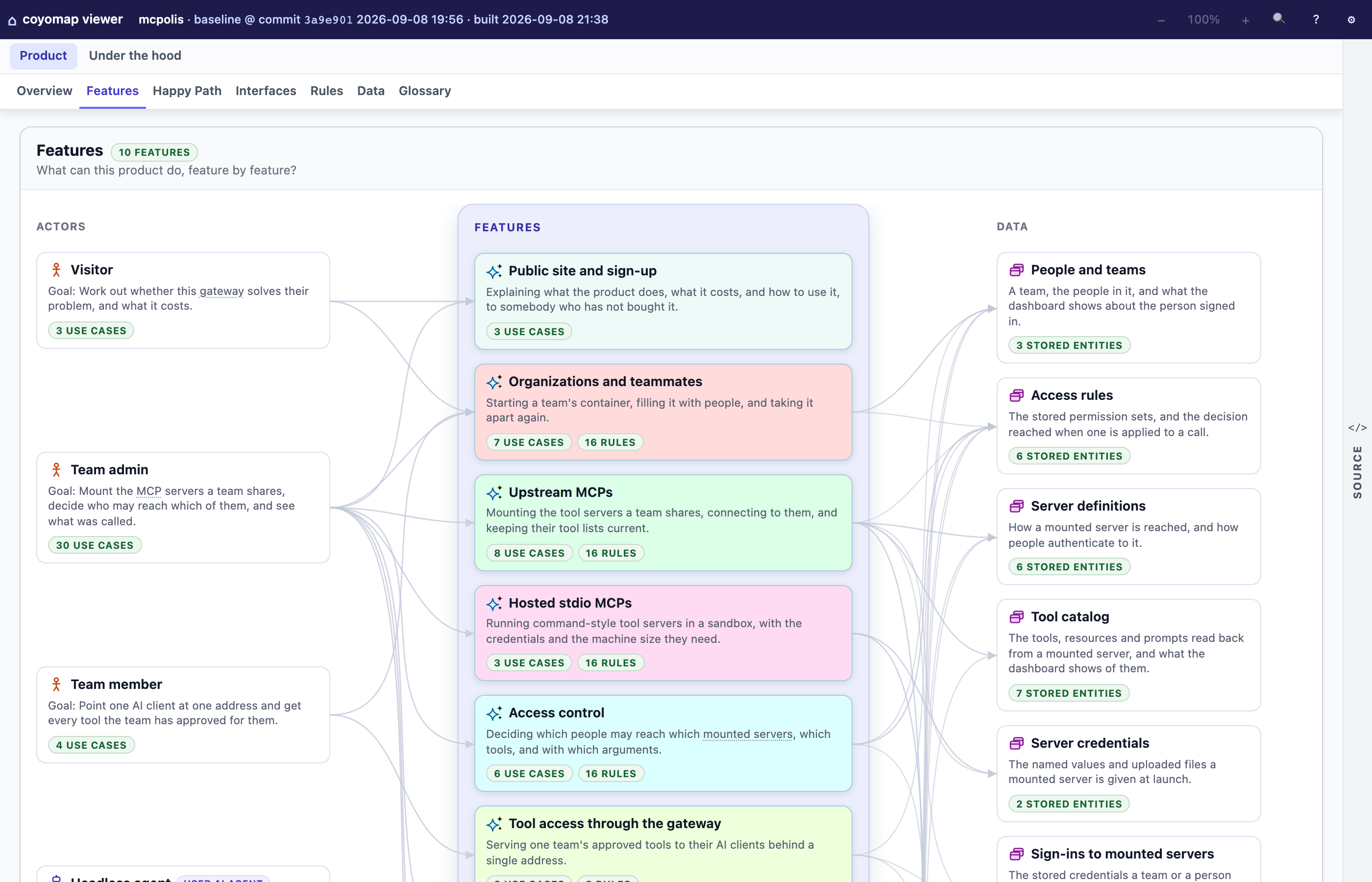
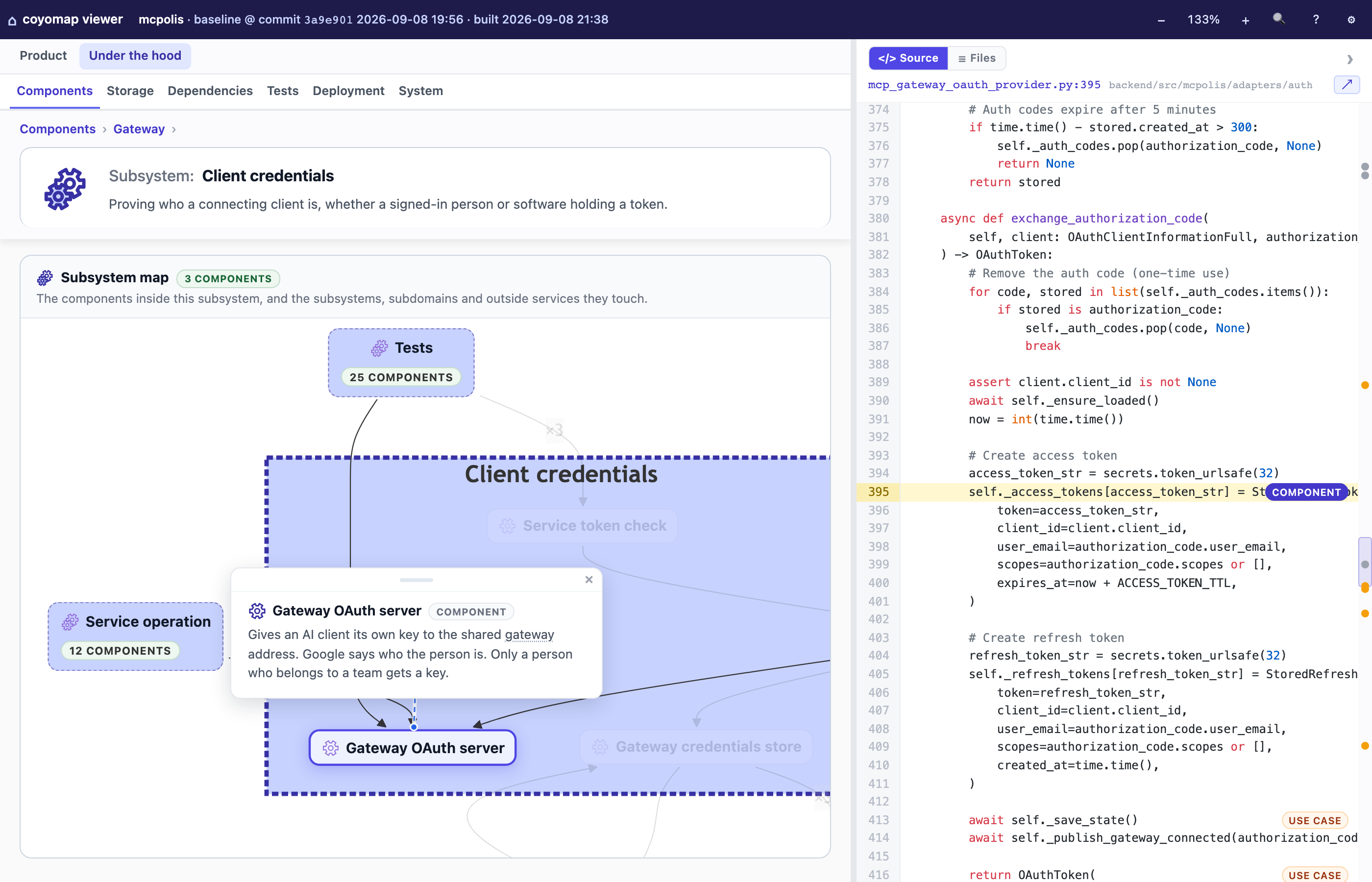
Update log records how the product has changed between map updates, newest first.
Why not just ask my agent to explain the code?
You can ask your agent to analyze code, write summaries and draw diagrams. coyomap adds two things:
- A map you can explore and share. Follow links between features, use cases and implementation, with plain-language explanations along the way. The map is stored as files you can commit with your project, so your team can work from the same picture.
- Checks for gaps and unsupported claims. AI agents can miss things or make things up. coyomap combines code indexing, automated consistency checks and independent agent reviews to help catch these problems.
Get started
coyomap runs as a skill on Claude Code, Codex and other coding agents. Follow the GitHub instructions to install it, build your first map, explore it, and keep it updated as your project changes.
Status
Early-stage, used daily. Map formats may change between versions, requiring a rebuild. Rebuilding can overwrite manual edits to the map.
Feedback and bug reports are welcome: open an issue.